Digital File Pro 1.1.1
Complete, versatile file transfer for your Dreamweaver sites
buy now:
$99.99
related products:
international pricing:
upgrade center:
Make the most of your investment: visit the Upgrade Center.
for sales questions:
Email sales@webassist.com
U.S.
Monday - Friday, 9AM - 5PM PST
800.886.0130 Option 2
Europe
Monday - Friday, 9AM - 5PM GMT
+44 (0) 170.453.3838
Outside U.S. and Europe
Monday - Friday, 9AM - 5PM PST
+1.760.633.4013 Option 2
Pay by check
Download order form
Whether you want to deliver digital goods from an online store or transfer files to an administrative back-end, Digital File Pro is the tool for you. Digital File Pro incorporates total file upload and download capabilities in your Web applications with full control over file placement, naming conventions, and file size or dimension restraints. Get your files moving quickly and easily with Digital File Pro.
Secure downloads made simple
Digital File Pro provides complete control over file downloads. Set the file source folder dynamically to protect your stored files from unauthorized downloads. Limit your transfers to a specific user, a set limit of downloads or within a given timeframe.Pure code uploads for ASP, PHP and ColdFusion
Server-side components need not apply! Upload files to any pre-defined or dynamic location, automatically renaming files to prevent overwrites. Restrict files by size, type or dimension.Deliver digital goods
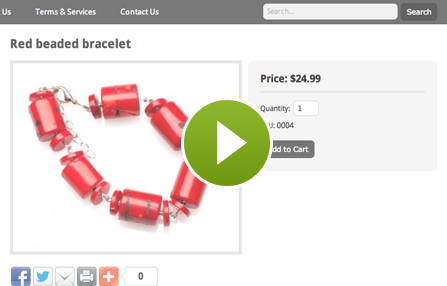
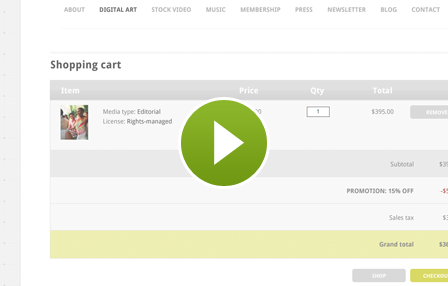
Want to sell digital photographs, MP3 files, software or electronic documents? Digital File Pro includes a step-by-step multimedia presentation that shows you how to integrate Digital File Pro with eCart and Universal Email for a complete eCommerce solution.Store administrative files
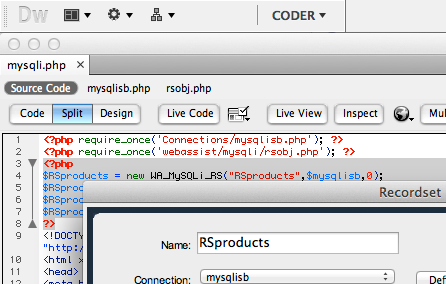
Seamlessly include images, documents or any other digital file in your database with Digital File Pro. Upload your file and update your database in one-step with Digital File Pro and DataAssist – the included Solution Recipe shows you the way.
Complete, secure download control
With Digital File Pro, you have complete control over how and when your downloads are available. Trigger a download on the conditions you set, from the folder you choose and the file name you select – statically or dynamically. You can even optionally control the saved filename to integrate a user ID or other identifier.Automatically track your downloads
Set up the Digital File Pro's Download File server behavior to increment a database field every time a file is downloaded. Use this advanced functionality to limit the number of downloads permitted for any given user or order – or just to keep track of how popular your downloads are!
Determine upload settings dynamically
Don't let uploaded files overrun your server! With Digital File Pro's Upload Wizard you choose where posted files are stored, whether to a pre-set or dynamically-selected folder. You can also change the name of the saved files to one you prefer, automatically incremented. Optionally, you can specify a default file to store in your database if none are uploaded.Protect and restrict file uploads
Duplicate and undesireable files are a fact of life when uploading to the Web – but Digital File Pro handles them both with ease. If the file to be uploaded already exists on your server, you can overwrite the original, skip the upload or rename the new file. Use Digital File Pro to keep uploaded files under a certain size, width or height; moreover, you can limit your uploads to GIF, JPEGs or PNGs with the click of a checkbox.
Delete and Rename Files Programatically
Digital File Pro includes two additional server behaviors: Delete File and Rename File. Use Delete File to automatically remove a file after it has been successfully downloaded. Rename File is great for relabling your files after they've been uploaded for additional security.Set Session Timeout and Server Redirect
Gain even more control over your application workflow with two handy utilities included with Digital File Pro. Extend your session when uploading large files to avoid timeout errors with the Set Session Timeout server behavior. Apply the Server Redirect server behavior to display a different page under your control – whether a button was pressed or a file was transferred successully, up or down!
Learn how to deliver digital goods
Got eCart and can't wait to start selling electronic wares? Now, with Digital File Pro you can – and the included Solution Recipe tells you how. You'll learn how to set up your database tables and shopping cart pages in this complete multimedia presentation so you can achieve your goal of delivering digital goods.Administrative file uploads simplified
Many database-driven pages on the Web combine images, documents and other files as well as raw data. The included Solution Recipe shows you, step-by-step, how to use Digital File Pro and DataAssist to upload files while inserting new records or modifying existing ones.Windows
Windows Vista, Windows XP, or Windows Server 2003
Dreamweaver MX 2004, Dreamweaver 8, Dreamweaver CS3
Works with ASP, PHP, and Coldfusion 6.x and greater
Macintosh
Mac Power PC 10.4.x, 10.5.x
Mac Intel 10.4.x, 10.5.x
Dreamweaver MX 2004, Dreamweaver 8, Dreamweaver CS3
Works with ASP, PHP, and Coldfusion 6.x and greater
All WebAssist products receive professional, top-of-the-line support from a number of resources. Digital File Pro includes a full online help system, available directly from within Dreamweaver and Digital File Pro. Additional resources are available below:
Online Documentation
Technical Support
With your purchase of Digital File Pro, you receive 2 Technical Support incidents, a value of $59.98. Technical Support Incidents are handled by senior support personnel quickly and efficiently. Intial responses to a submitted incident are returned within 2 to 4 business hours.
General Tech Notes
Understanding WebAssist Activation
WebAssist uses product activation to help eliminate piracy and keep software costs low. This TechNote discusses WebAssist product activation and what to do when you encounter an activation error.
Solution Recipes
Digital File Pro Solution Recipe
Get step-by-step instructions for making the most of Digital File Pro. Follow this multimedia presentation to learn how to deliver digital goods with Digital File Pro, eCart and Universal Email. Developers of administrative sites will discover how to store files online while inserting new database records or updating existing ones with Digital File Pro and DataAssist.