Do More

DataAssist 2.0.3

Database-driven catalog pages and administrative sites created without coding.

buy now:

$199.99


Feature TourFeature Tour PodcastSolution Recipe

related products:

Complete static sites, full database control and secure administrative sites, for less
Price: $399.99
Learn More

international pricing:


upgrade center:

Make the most of your investment: visit the Upgrade Center.

for sales questions:

Email sales@webassist.com

U.S.
Monday - Friday, 9AM - 5PM PST
800.886.0130 Option 2

Europe
Monday - Friday, 9AM - 5PM GMT
+44 (0) 170.453.3838

Outside U.S. and Europe
Monday - Friday, 9AM - 5PM PST
+1.760.633.4013 Option 2

Pay by check
Download order form

Overview Features System Requirements Support
DataAssist Wizard

Easy-to-use wizard means tons of functionality with zero coding

DataAssist's next generation wizard is fast and smart. Label your form fields once and DataAssist applies those labels for all pages – end the drudgery! Dynamically populate drop-down lists for search criteria: no muss, no fuss.

Add administrative control to any online store

DataAssist brings all the functionality you'll need to manage your eCommerce's site's back-end. Add new products, update existing ones or delete out-of-date items to keep your storefront running in top shape.

Automatically generate multi-column layouts and forms

DataAssist makes multiple column catalog layouts and all the forms you’ll need – all with Web standards based, CSS-based layouts. You can even select the style of navigation links, recordset navigation and submit buttons to use.

Raise your data management efficiency level with multiple record management

Make it easier for your clients to manage their data. Insert, update or delete multiple records on a single page with DataAssist's advanced server behaviors.

Upgrade your searchability

With DataAssist's integrated search capabilities, you can make it easier for your site visitors to find just what they want from any table in your database. Add sophisticated search criteria including price, date or number ranges quickly and easily. DataAssist now includes all the power and functionality that was in Database Search.

Many-to-many database relationships made easy

DataAssist brings the power of relational database tables to Dreamweaver. Insert or update multiple records from one database table that relates to another--all without coding.

PHP/MySQL – ASP/Access – ColdFusion/SQL Server: Ready!

Work with your favorite application server – ASP (JavaScript or VBScript), ColdFusion or PHP – DataAssist supports them all.
Easy-to-use Wizard

Generate all the pages you need

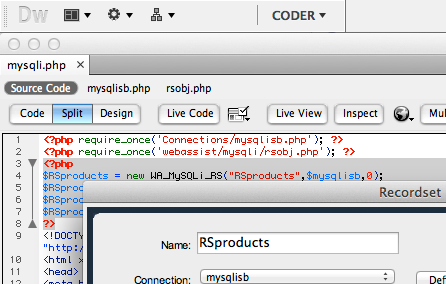
Like all WebAssist software, the DataAssist wizard makes complex operations simple – and completely eliminates hand-coding. It’s fast and wonderfully flexible. After you’ve chosen your data and template, select the types of pages you want. DataAssist generates six different types of pages: Search, Results, Detail, Update, Insert and Delete.

Tons of functionality with zero coding

DataAssist’s next generation wizard is fast and smart. Label your form fields once and DataAssist applies those labels for all pages – end the drudgery! Populate drop-down menus on your search pages : no muss, no fuss.
Select Design from Wizard

Multi-column catalog pages made easy

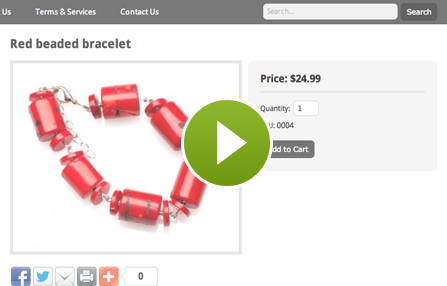
Create results and detail pages for any database-driven site with DataAssist. Top-of-the-line flexible layouts give you the power to show your data in single or multiple column formats in Web standards compliant, CSS based layouts.

Visual guides to binding dynamic data

One of the biggest challenges of building a dynamic catalog page is knowing where to bind the data. DataAssist displays a different wireframe for each layout with clearly labeled tooltips to show you the way.
Search and Sort made simple

Sophisticated search capabilities

DataAssist integrates the advanced search functionality previously available in Database Search. Now you can combine advanced Google-style keyword searches (across multiple database columns) with price, date or number ranges – all without coding.

Complex sorting made simple

Let your customer see your data however they want to with DataAssist’s refined sorting capabilities. Include sortable columns that toggle from ascending to descending or multilevel drop-down list sorting on any results page.
Select Design from Wizard

Manage your data records individually or all at once

Some records are best updated or inserted one at a time, which others are easier to manage in groups. DataAssist gives you the flexibility to insert, update or delete single or multiple records – it’s your choice!

Outputs forms, controls and server-side code

Use DataAssist to quickly build out core functionality for any online data management front-end, including all the forms structured for data entry and handling. If you need to go beyond the basics, apply any of the DataAssist server behaviors for complete control.
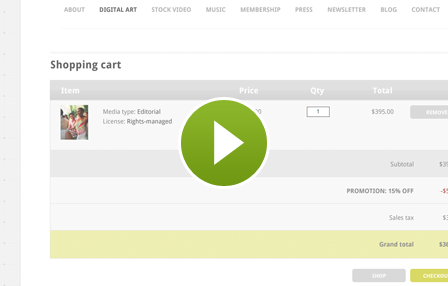
Database Results Sample

Super server behaviors, ready when you are

When you want to push your application to the next level, DataAssist’s advanced data server behaviors are there for you. Go further and create complex interactions like updating data from a Web service or managing relational tables. It’s all possible with DataAssist.

Combine server-side actions without coding

The DataAssist wizard provides a number of special functions, available at the click of checkbox. Want to add a delete button to your update page? No problem. Need to trigger data updates based on session variables? DataAssist can handle it.

Enhanced layout capabilities

Improved administrative layouts
New catalog style layouts
Multiple column support
Descriptive headers
Single or dual image headers
Wireframe data binding

Multiple record management

Multiple record insert
Multiple record update
Multiple record delete

Advanced sorting

Sort by column header
Sort by select list
Toggle ascending / descending
Multi-level sorting
QueryString binding

Enhanced search

Advanced text search
Price range search
Number range search
Date range search
Exact match search
Multiple select list search
Multiple checkbox search

Increased repeat region control

Repeating table
Repeat selection horizontally
Static or dynamic repetitions
Integration with Repeat Region
Alternating row style support
Alternative content
Counter binding

Relational table management

Windows

Windows Vista, Windows XP, or Windows Server 2003
Dreamweaver 8, Dreamweaver CS3
Works with static and dynamic pages

Application Server Models

ColdFusion 6.x and later
ASP JavaScript
ASP VBScript
PHP 4.2 +

Macintosh

Mac Power PC 10.4.x, 10.5.x
Mac Intel 10.4.x, 10.5.x
Dreamweaver 8, Dreamweaver CS3
Works with static and dynamic pages

Databases

Microsoft Access (with ASP and ColdFusion)
Microsoft SQL Server (with ASP and ColdFusion)
Oracle (with ASP and ColdFusion)
MySQL 4 and MySQL 5 (with PHP)

Documentation

Technical Support

With your purchase of DataAssist, you receive 3 Technical Support incidents, a value of $89.97. Technical Support Incidents are handled by senior support personnel quickly and efficiently. Initial responses to a submitted incident are returned within 2 to 4 business hours.

General Tech Notes

Understanding WebAssist Activation
WebAssist uses product activation to help eliminate piracy and keep software costs low. This TechNote discusses WebAssist product activation and what to do when you encounter an activation error.
WebAssist Triggers - Unleash the Power
One feature unique to WebAssist extensions is the concept of triggers. A trigger detects a specific event and runs a server behavior or other function. The power of triggers in WebAssist extensions lies in the flexibility they give you as a developer. Unlike the triggers in native Dreamweaver server behaviors, WebAssist triggers can fire in reaction to many different kinds of events, even those contained in other pages. This document provides background information and discusses the appropriate use of the various triggers available.
Memo Fields and Dreamweaver 8.0.2
In Dreamweaver 8.0.2, when a dynamic page generated with the ASP JavaScript server model attempts to update an Access memo field or Microsoft SQL server nText field, "null" is displayed instead of the memo field value. While the issue applies to DataAssist, the described fix could be applied to any affected dynamic page. The issues stems from the changed Recordset server behavior in Dreamweaver 8.0.2 which does not properly alter the cursor location property. This TechNote shows you how to fix this problem by adding a single line of code.

Solution Recipes

Admin Suite Solution Recipe
Whether you're new to dynamic sites or just want to learn how to use SiteAssist and DataAssist together, the Admin Suite Solution Recipe has you covered. This multimedia presentation is divided into discrete steps so you can jump in at just the point you need to know, get your info and get to work on your own administrative site.

Spacer
Spacer
CSS Menu Writer
Spacer