Do More

eCommerce Suite 

The best extensions for building the best online stores

buy now:

$499.99


Feature TourSolution Recipe

international pricing:


upgrade center:

Make the most of your investment: visit the Upgrade Center.

for sales questions:

Email sales@webassist.com

U.S.
Monday - Friday, 9AM - 5PM PST
800.886.0130 Option 2

Europe
Monday - Friday, 9AM - 5PM GMT
+44 (0) 170.453.3838

Outside U.S. and Europe
Monday - Friday, 9AM - 5PM PST
+1.760.633.4013 Option 2

Pay by check
Download order form

Overview Features System Requirements Showcase Support
eCommerce Suite

Quick Time to Market – and to Profits

Build your custom online store more rapidly and start making money faster. With a single developer’s license, you can build as many eCommerce sites as you like – and save over 50% by buying the bundle instead of individual products.

Build both store and admin site

Use eCart to build your state-of-art store quickly and easily. Then create an administrative site to manage your store with DataAssist. Both products create all the server-side code you’ll need with point-and-click wizards.

Checkout Support to the Max

eCommerce Suite supports both remote checkout where you use your gateway's secure pages (for AuthorizeNet, 2CheckOut, Express Checkout, LinkPoint, PayFlow, PayPal, and WorldPay) or same site, local checkout (PayPal Website Payments Pro, Authorize.Net AIM, WebAssist Payment Gateway, 2CheckOut, LinkPoint API, and PayFlow Pro).

Work Better with Integrated Tools

Want to send a confirmation email to your online shoppers? No problem with eCart and Universal Email. How about validating your sophisticated database searches? Piece of cake with Database Search and Validation Toolkit.

Pro-level Shopping Cart Features

Your clients will love your ability to provide them with real-time shipping quotes from FedEx and UPS, an administrative back-end and so much more. Add digital goods to your online store with Digital File Pro download and upload file features.

All the Support and Help You Need

eCommerce Suite includes 5 Support incidents – a value of almost $450 – as well as world-class online help, tutorials and a fully functional example store, complete with administrative site example and sitemap.
eCart - Premier Shopping Cart

Powerful, flexible shopping cart control

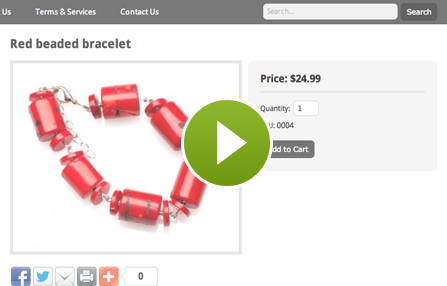
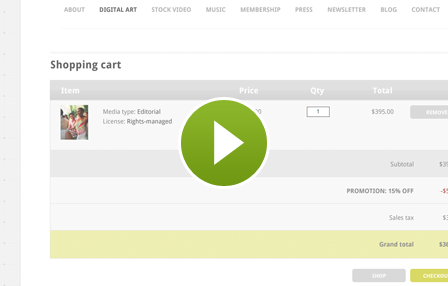
eCart’s interface is easy to use but incredibly powerful. With it, you can build online stores for clients around the world with any desired charges or discounts. Incorporate custom calculations or add personalized columns to the shopping cart itself. Automatically output a range of shopping cart displays: updateable, read-only, email friendly and minimized. Sell physical or – with Digital File Pro – digital goods.

Major Payment Gateway Connections

Now with eCart, you choose the type of checkout experience you want. Select remote checkout to let your payment gateway accept the transaction details. If you’d prefer to keep the customer on your own secure site, use local checkout. eCart now features complete PayPal support, including Website Payments Pro and Standard. Additional supported payment gateways include: AuthorizeNet, Authorize.Net AIM, LinkPoint, LinkPoint API, VeriSign PayFlow Pro, 2CheckOut, WebAssist Payment Gateway, and WorldPay.

Totally customizable, totally Dreamweaver

WebAssist's eCart is a completely Dreamweaver integrated and creates shopping cart components that smoothly fit into your site. Unlike other shopping cart systems, you're not bound to another designer's templates. You'll even have access to graphics source files that you can adapt as you choose.

eCommerce roadmap included

eCommerce Recipes show you, step-by-step, how to extend the power of eCart and eCommerce Suite. With clear instructions, code snippets, sample starting points, and completed files, you'll learn quickly how to apply merchandising rules, offer options and much more. The Digital File Pro Solution Recipe shows you how to deliver digital goods and upload files for product updates. Learn how to implement PayPal Website Payments Pro in another Solution Recipe.

Database Starter Kit - Example Database and Training

ASP databases and know-how

Three full-featured database schemas in Microsoft Access/SQL Server format are included, yours to use as-is or modify however you like. A 12 part interactive tutorial trains you to create your own database, set it up in Dreamweaver, add data to the page and even publish databases online.

PHP database-driven sites explained

The Database Starter Kit for PHP explains how to develop your dynamic sites locally and how to push them live. Also included are three complete MySQL databases: one for selling physical goods, another for digital goods and a third for event registration. Just open in MySQL, fill with data and go!

DataAssist - Database management made easy

Creates all needed forms and code

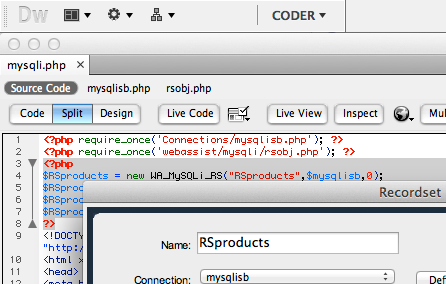
Manage your database data online with DataAssist. DataAssist generates all the pages you need to search, insert, update or delete any record in a single operation. Use DataAssist’s advanced data server behaviors to do what you couldn’t before: add a delete function to an update page or pull record data from a Web service.

Add administrative control to any online store

DataAssist brings all the functionality you’ll need to manage your eCommerce’s site’s back-end. Add new products, update existing ones or delete out-of-date items to keep your storefront running in top shape. Manage orders and visitor accounts just as easily.
Cookie Toolkit - Complete, enhanced cookie control

Set, get and delete cookies

Cookies Toolkit allows you to quickly set cookies in any website. You’ll have the option to set the expiration date and the value – either pulled directly from a form element or entered manually at design-time. Better still, you can opt to set the cookie either all the time or depending on the state of an on-screen checkbox. It’s just as easy to retrieve, display and delete previously set cookie.

Store form in cookie

Forms are the primary way visitors interact with websites. Cookies Toolkit stores all the form field values in single cookies with one operation. Getting your data back from the cookie and repopulating your form is just as easy. Both behaviors work with the full range of form fields: text, select lists, radio groups, and checkboxes.
Universal Email - Custom email control

Direct to customer contact

With Universal Email from WebAssist, you'll be able to send personalized text or HTML emails to anyone who provides a valid email address on your site. Use Universal Email to send an order confirmation, forward a wish list, and provide tailored product options and more.

Integrates easily with eCart

Send emails populated with shopping cart order information effortlessly. Use eCart's own email-friendly shopping cart designs to create the email layout and Universal Email to send it, complete with all the current order details.
Validation Toolkit - Complete form validation support

Forms validated on the client, server or both

Validate your visitors' data your way: apply client-side and/or server-side behaviors with this full-featured extension. Multiple validations can be applied to a single field. Add multiple validations in one operation or apply them individually.

Superb error handling

How do you want to handle failed validation? Display a helpful in-page message, pop-up an alert or redirect to new page? Take your pick: Validation Toolkit works the way you want to work.

Windows

Windows XP, Windows Server 2003, Windows Vista
Dreamweaver CS3, Dreamweaver 8
Works with static and dynamic pages

Application Server Models

Coldfusion 6.x and later
ASP JavaScript
ASP VBScript
PHP 4.2 +

Macintosh

Mac Power PC 10.4.x, 10.5.x
Mac Intel 10.4.x, 10.5.x
Dreamweaver CS3, Dreamweaver 8
Works with static and dynamic pages

Databases

Microsoft Access (with ASP and Coldfusion)
Microsoft SQL Server (with ASP and Coldfusion)
mySQL 4 & mySQL 5 (with PHP)
MacNiffy eStore
MacNiffy eStore
MacNiffy specializes in the latest Mac Accessories including iPod Accessories, iPod Video Accessories, iPod nano Accessories, and more, for both Macintosh and Windows users. Honorable Mention, WebAssist Pimp My Cart 2005 contest: Best Overall Cart.
Anyada
Anyada
Anyada specializes in contemporary Spanish wines, chosen to reflect Spain’s wide range of grape varieties and geography.
GKJ Books
GKJ Books
GKJ Books is a Wholesale book company, selling books at low prices to booksellers and internet traders.
Deerly Departed
Deerly Departed
Your source for John Deere or antique tractor parts replacement, Deerely Departed has the most innovative selection for your antique tractor restoration project.
Liv'n Out Loud
Liv'n Out Loud
Liv 'n' Outloud is a clothing company that makes comfort, color and the human spirit the essence of the brand.

Technical Support

With your purchase of eCart, you receive : 6 Support incidents are included (a value of almost $180). Technical Support Incidents are handled by senior support personnel quickly and efficiently. Intial responses to a submitted incident are returned within 2 to 4 business hours.

Solution Map

Online Store: Physical goods
This Solution Map provides an overview for building an online store that sells physical goods with WebAssist products. At the top level, you'll see 5 main sections. Click any section to drill down to learn which pages are required and which products are used where. Where available, links to additional resources, such as a Solution Recipes or TechNotes, are provided.

General Tech Notes

Understanding WebAssist Activation
WebAssist uses product activation to help eliminate piracy and keep software costs low. This TechNote discusses WebAssist product activation and what to do when you encounter an activation error.
WebAssist Triggers - Unleash the Power
One feature unique to WebAssist extensions is the concept of triggers. A trigger detects a specific event and runs a server behavior or other function. The power of triggers in WebAssist extensions lies in the flexibility they give you as a developer. Unlike the triggers in native Dreamweaver server behaviors, WebAssist triggers can fire in reaction to many different kinds of events, even those contained in other pages. This document provides background information and discusses the appropriate use of the various triggers available.

eCart Tech Notes

How to pass eCart data to my secure server
eCart users are able to keep shoppers on their eCommerce sites without passing them to a payment gateway site: we call this process local checkout. This requires using an Secure Socket Layer (SSL) server to allow customers to enter their credit card information securely. In some cases, shopping cart data is cleared when the SSL server is contacted. This TechNote discusses why that happens and describes how to get your data to the secure area of your site so that your transactions can be processed properly.
eCart calculations, discounts and charge rules
This TechNote discusses calculations in eCart. It provides both general guidelines for use and specific examples of custom calculations. There are two main ways in which your eCart object can be customized. The first and most basic update is to add custom columns to store data specific to what you are selling. For instance Size, Color, and Thumbnail are all common columns to add. Custom columns must be created for any data you will need later to properly bill and fulfill the cart order.
Building a multiple item add to cart interface
A feature developers are often requested to build on their eCommerce sites is a products page that allows shoppers to select multiple items from a list and then click a single Add To Cart button to add the selected items to the shopping cart. This TechNote walks you through the process of creating such a page.
Add to Cart Button - Using the "If Item in Cart"
This tech note pertains specifically to the "If Item In Cart" option on the Bindings panel of the eCart Add To Cart Button dialog. This option is used in conjunction with the unique key column settings in your cart to determine what should happen when an item already in the cart is added to the cart again.
Formatting currency values in eCart applications
One feature that eCart users have at their disposal is the ability to format the way currency is displayed in their eCart applications. This TechNote shows how to format your currency display in your eCart application using the built-in functions in eCart.

Recipes

Validation Toolkit Recipes
Gain all the knowledge you need to make the most of the power built into Validation Toolkit. Each recipe takes you step-by-step through the process of applying validations the right way, with full explanations. The Validation Toolkit Recipes also includes a breakdown of all the validations required for the Dreamweaver 8 Recipes book as a special bonus.

Solution Recipes

Cookies Toolkit Solution Recipe
Cookies Toolkit includes a complete Solution Recipe that explains how cookies work and provides step-by-step instructions for recalling complete forms, automating logins, and maintaining form data across pages.
Digital File Pro Solution Recipe
Get step-by-step instructions for making the most of Digital File Pro. Follow this multimedia presentation to learn how to deliver digital goods with Digital File Pro, eCart and Universal Email. Developers of administrative sites will discover how to store files online while inserting new database records or updating existing ones with Digital File Pro and DataAssist.
Universal Email Solution Recipe
Get step-by-step instructions for making the most of Universal Email. Follow this multimedia presentation to learn how to send plain text emails using form data, customized HTML emails using form data, and how to create email online store receipts using eCart order data.

Spacer
Spacer
CSS Menu Writer
Spacer