



Super Suite
Get all extensions for one suite price
Design Extender
Design and create unlimited websites
Data Bridge
Develop database-driven websites
eCart
Build a responsive shopping cart + checkout
MySQLi Server Behaviors
Generate streamlined MySQLi
Free PayPal Toolkit
Paypal, PayPal Credit, and Skype
Help

With Free Tools' user-friendly wizards, you can quickly add PayPal buttons and PayPal Credit to your websites in Dreamweaver. Other features include adding Google Search or Skype buttons within Dreamweaver.
Runs on: Dreamweaver CS4, CS5, CS5.5, CS6, CC, CC 2014, CC 2015
View full system requirements | Get free Dreamweaver trial

 Features
Sign up for a free PayPal account to add buy now, add to cart, subscription and donation buttons to unlimited Dreamweaver websites, using a wizard. New to Version 1.0.4: Optionally include PayPal Credit banners with buy now or donation buttons!
The pre-built buttons are available in: English, Spanish, Polish, Dutch, German, French, Italian, Chinese and Japanese. You can also use your own custom buttons. All currencies supported by PayPal are supported in this tool!
From the wizard, you can customize product details, such as item name, ID and price. Integrate multiple product options, such as colors/sizes. Decide whether to include a quantity field - or to restrict quantity of an item. Configure custom shipping and handling charges, optionally request your customer's shipping address or offer an optional customer note field. You can enter all of your selections manually or make them database-driven from the wizard! All the code will be generated for you and added to your page in Dreamweaver.
New to Version 1.0.4: With this free Dreamweaver extension, you can also add PayPal Credit banner ads to your website so that your website visitors know you offer the PayPal Credit service. PayPal tells us sales typically increase by 20% or more when this banner is added to websites!
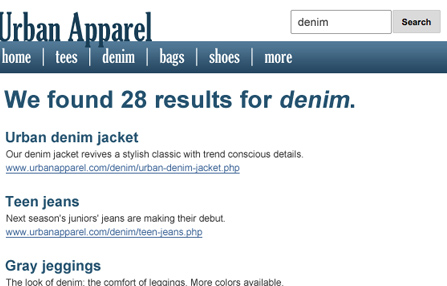
Add a search box to your Dreamweaver site to allow your visitors to search your site. Control the results that are returned by restricting the domain you want to search, as well as setting maximum results to display per page, and maximum pages. Control how your links open - in a new window, in the same frame, etc.
Choose to display the search form and the results on one page or separate pages. Fully customize the search button's border color, background color, text color, button style and form field border color. Also customize border, background, link, text colors and hover colors.
All of the code will be generated for you and added to your page in Dreamweaver. Learn more »
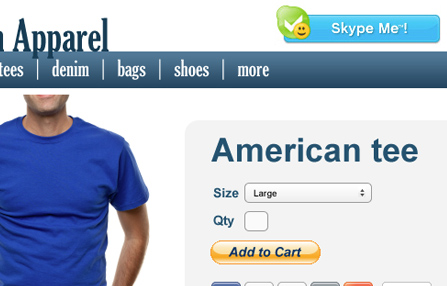
Use our two-step wizard in Dreamweaver to quickly add a Skype call me button to your website. Choose from multiple Skype buttons and incorporate built-in status indicators so your customers know when you are online.
The button and all of the code will be generated for you and added to your page in Dreamweaver.
 Nitty Gritty
Even though Adobe dropped support for their Extension Manger, It’s still easy as pie to install an extension using one of the free third-party installers. Popular ones include: ZXPinstaller or Anastasiy's Extension Manager
All HTML, CSS and PHP code that WebAssist extensions output is completely accessible for further modification and customization.
First, visit the Free Paypal Toolkit support page to review the latest product documentation, tutorials and videos. If you still need help, visit our support forums, where we have over a decade of experience helping our customers be successful with our tools - for FREE!
Dreamweaver CS4, CS5, CS5.5, CS6 or CC
Don't own Dreamweaver yet? Download a free trial.
Windows or Mac
To take advantage of the Google Search features, a web server that runs PHP 5.2 is required.
When you buy a WebAssist extension, you receive 1 serial number. You can activate that serial number on 2 computers. You can also deactivate your serial numbers in our Download Center, should you need to install on a new computer.
One license of a WebAssist extension allows you to build as many websites as you want!
Your friends over here at WebAssist! These Dreamweaver extensions will assist you in building unlimited, custom websites.
These out-of-the-box solutions provide you proven, tested applications that can be up and running now. Build a store, a gallery, or a web-based email solution.
©1999-2026 WebAssist.com Corporation. All rights reserved and all that jazz.


Account or customer service questions?
Please user our contact form.
Need technical support?
Please visit support to ask a question


